
Image Annotation Tools: An Overview of Solutions for Computer Vision Data Preparation
Image annotation is one of the basic stages of data preparation for computer vision tasks. At this stage, raw visual data is turned into a structured dataset that can be used to train and validate machine learning models. The choice of annotation tool affects not only the speed of the team, but also annotation quality, review convenience, process scalability, and the overall cost of dataset preparation.
In recent years, the market for annotation tools has expanded significantly. Today, teams can choose between open-source solutions for internal infrastructure and cloud-based platforms with advanced workflow management, automation, and built-in ML features. Still, the right tool depends on the project specifics, data types, and annotation requirements.
Why Specialized Annotation Tools Are Needed
In small early-stage projects, teams sometimes try to organize annotation manually — using graphic editors, spreadsheets, or custom-built interfaces. This may work for very limited datasets, but it quickly becomes inefficient as data volumes grow.
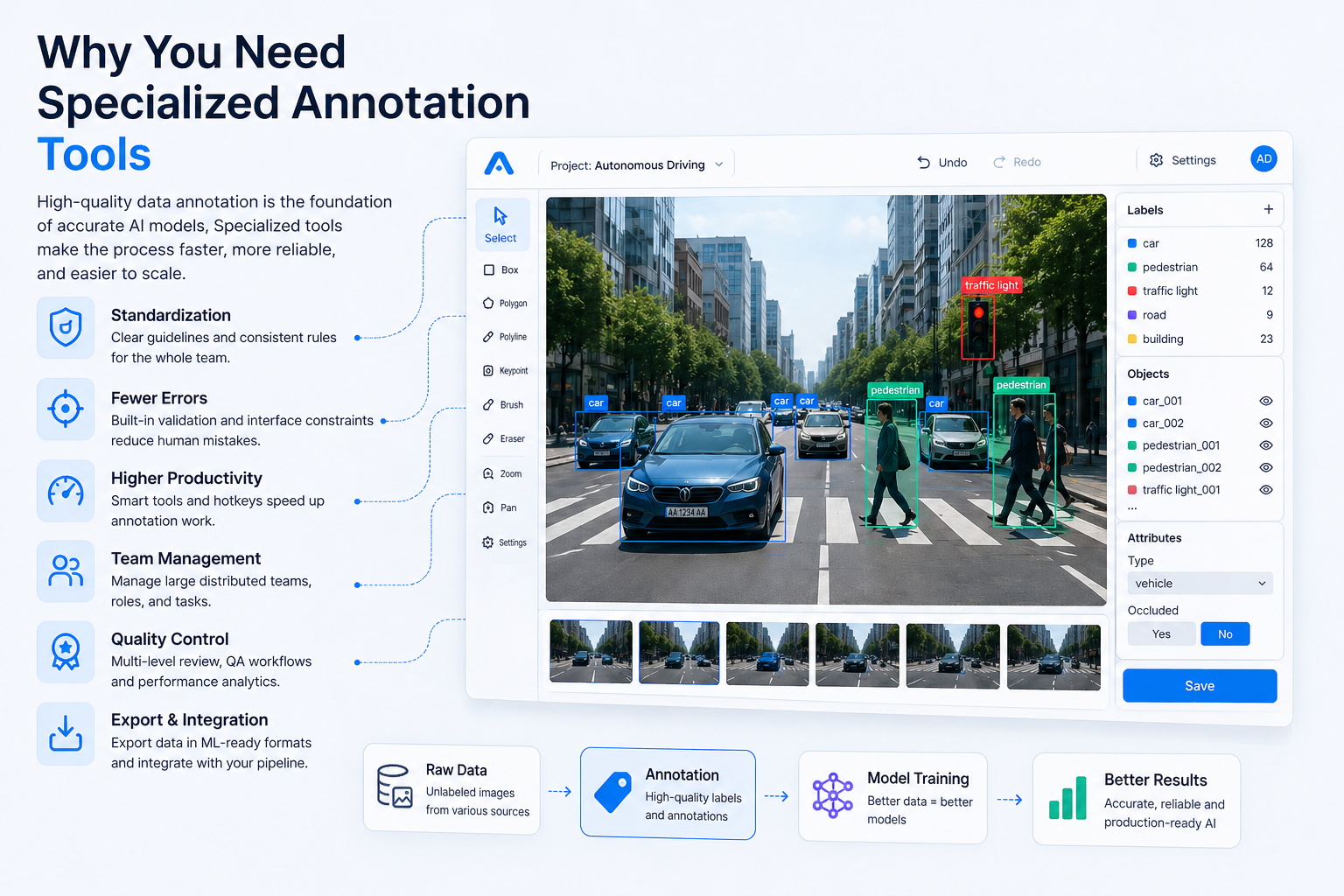
Specialized annotation platforms help to:
- standardize the annotation process;
- reduce errors through guidelines and interface constraints;
- speed up annotators’ work;
- organize multi-level quality control;
- manage large distributed teams;
- export data in ML-compatible formats.
As a result, an annotation tool becomes not just an interface for adding labels, but a full part of the data pipeline.
Main Types of Image Annotation Tools
Modern platforms differ in architecture, functionality, and usage model. In general, they can be divided into several categories.
Open-Source Tools
Open-source solutions are often used by teams that want to deploy annotation infrastructure inside their own environment and control the process independently.
Some of the most common tools include:
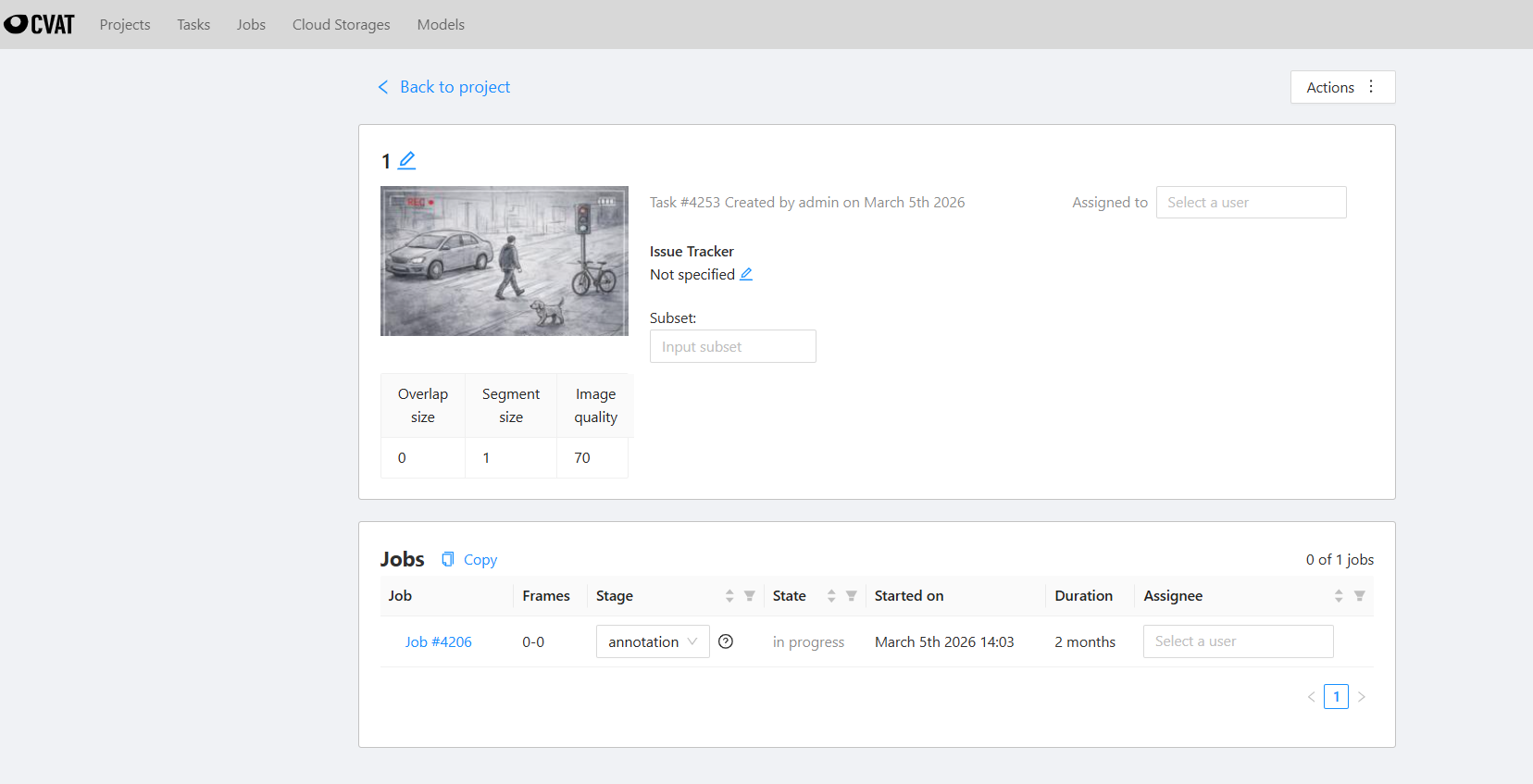
- CVAT — one of the most widely used open-source tools for image and video annotation. It supports bounding boxes, polygons, keypoints, segmentation, video interpolation, and team workflows.
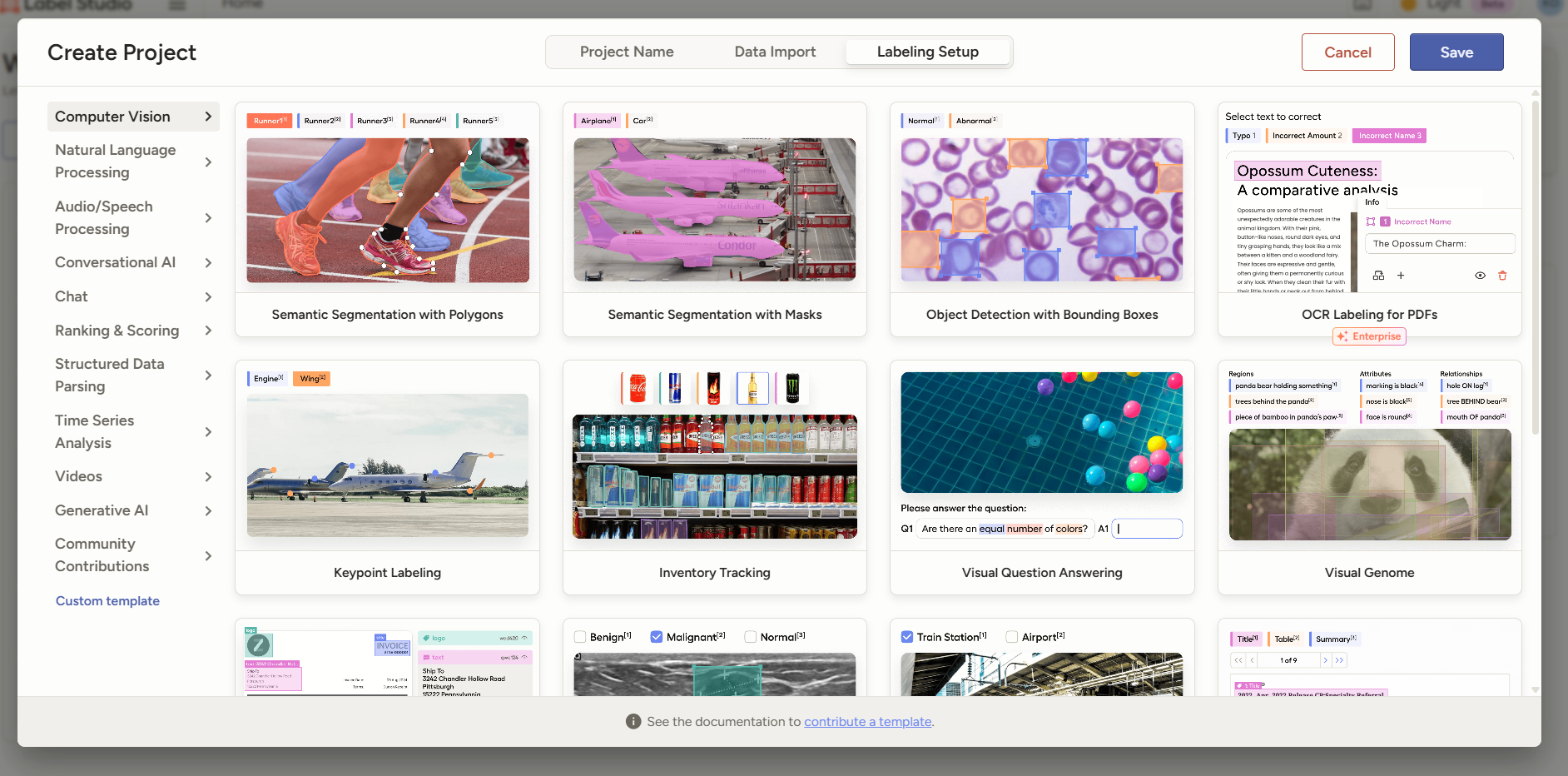
- Label Studio — a flexible platform for annotating images, text, audio, and multimodal data. It is often used in research and mixed-data projects.
- LabelImg — a lightweight desktop tool for bounding box annotation, suitable for small tasks and quick prototyping.
- VGG Image Annotator (VIA) — a browser-based tool for simple annotation tasks without server deployment.
The main advantage of open-source platforms is the absence of license costs and the ability to customize the system deeply. The downside is that the team has to maintain infrastructure, security, and additional functionality on its own.
Commercial Cloud Platforms
For companies that need fast deployment and ready-made infrastructure, SaaS annotation platforms offer a broader set of features.
Popular platforms include:
- SuperAnnotate
- Labelbox
- Scale AI
- Supervisely
- V7 Darwin
These systems usually provide:
- ready-to-use cloud infrastructure;
- user and role management;
- built-in review workflows;
- automatic pre-labeling;
- integration with ML pipelines;
- team performance analytics.
The main drawback of commercial platforms is the cost, especially for large datasets. There may also be limitations related to customization and information security requirements.
Key Criteria for Choosing an Annotation Tool
When choosing an image annotation platform, teams usually evaluate not only the basic annotation features, but also the system’s workflow and management capabilities.
Supported Annotation Types
Different projects require different annotation formats:
- bounding box — for object detection;
- polygon / polyline — for complex object contours;
- semantic / instance segmentation — for pixel-level tasks;
- keypoints / landmarks — for pose estimation;
- cuboid / 3D annotation — for spatial objects.
Not every tool is equally convenient for all types of annotation.
Interface Performance
For large datasets, UI performance becomes especially important:
- smooth rendering;
- keyboard shortcuts;
- batch operations;
- convenient navigation between objects;
- fewer actions required for each annotation.
Even a small delay on a single image can turn into significant losses when scaled across thousands or millions of items.
Quality Control
Professional annotation almost always requires built-in QA mechanisms:
- review workflows;
- multi-pass verification;
- consensus annotation;
- annotator error statistics;
- change history and audit logs.
Export and Integration Support
The annotation tool should support formats compatible with the project’s ML infrastructure:
- COCO JSON
- YOLO TXT
- Pascal VOC
- CVAT XML
- TFRecord
- custom JSON/CSV schemas
Automation and AI-Assisted Annotation
Modern annotation platforms increasingly use pre-labeling models to speed up the work of human annotators. In this workflow, the system creates a preliminary annotation, and the specialist reviews and corrects it.
This approach can help to:
- reduce annotation costs;
- increase dataset preparation speed;
- lower the workload for annotators;
- speed up iterative model retraining.
However, the effectiveness of AI-assisted annotation depends heavily on the maturity of the initial model. At the early stages of a project, automation may provide only limited benefit.
Practical Limitations of Annotation Tools
Even the most advanced platform cannot solve data quality problems on its own. The final result depends on several factors:
- quality of source images;
- clarity of annotation guidelines;
- annotator qualification;
- availability of QA processes;
- correct class structure and scenario decomposition.
For this reason, the choice of an annotation tool should be seen as part of the overall data preparation strategy, not as a separate solution to the quality problem.
Conclusion
Image annotation tools play an important role in building an efficient data preparation pipeline for computer vision. They influence annotation speed, project scalability, and the level of quality control.
Open-source tools are a good fit for teams that need infrastructure control and deep customization. Commercial platforms are often chosen by companies that need faster deployment and ready-made enterprise features.
Still, there is no universal solution. The best tool depends on data volume, security requirements, annotation complexity, and the maturity of ML processes inside the company.
In the end, annotation efficiency depends not only on the platform itself, but also on how well it is integrated into the overall system of data preparation and model training.